DAMP RESONANCE SUPPRESSOR
Resonance suppressor audio plugin for macOS — VST3 / AU.
When the recording is fine but the room isn't — a box around the voice, a snare ring that won't die, a boom in the acoustic.
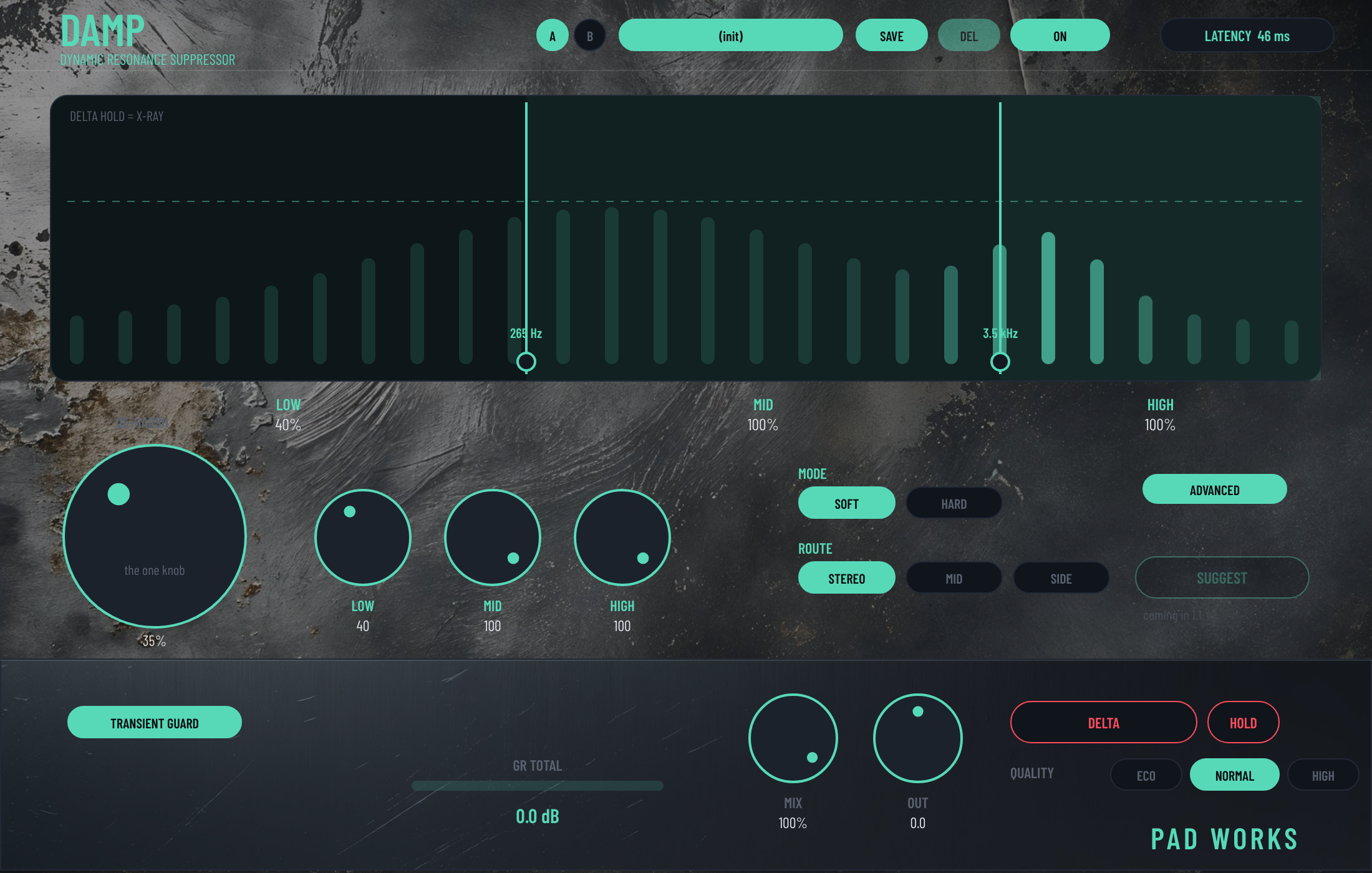
DAMP finds the resonances and pulls them down only while they ring. Turn DE-HARSH until the room resonance is gone, press DELTA to hear exactly what's being taken out.
Dynamic resonance suppression: the zones only act when something rings, so the tone of the source stays. Three zones — LOW, MID, HIGH — with movable edges, one DE-HARSH knob, HOLD to keep DELTA on while you tweak. The Advanced view opens attack, release, ratio and the detector if you want them; the front panel is enough for most sessions. Fixed latency, reported to the host: 46 ms at 44.1 kHz (93 ms in HIGH quality) — bypass stays aligned.
On cymbals, try Transient Guard off: with it on, DAMP holds back on every hit; off, it keeps working on the ring through the hits.
“It removed ringing resonances without noticeably reducing the brightness, body or impact of the hi-hats and cymbals.”
— Daniel D., Logic Pro, Melbourne
$39
Get DAMP — $39macOS 10.13.4+ · VST3 / AU · universal binary
Buy once, own it forever — no subscription
Spec
- VST3 / AU · macOS 10.13.4+ · universal binary
- Three zones — LOW / MID / HIGH — with movable edges
- DE-HARSH: one knob for how much · SOFT / HARD
- DELTA + HOLD: hear only what is being removed
- STEREO / MID / SIDE routing · transient guard
- Latency: 2048 samples (46.4 ms at 44.1 kHz), 4096 in HIGH quality — reported to the host, bypass compensated
- Advanced: attack, release, ratio, select, sharpness, memory, stereo link
- 7 presets · 21 parameters
Also in the FULL KIT — every machine, one license →